
Aprilaire 500 Installation Manual: A Comprehensive Plan
This manual details the installation of Aprilaire 500 & 500M humidifiers‚ emphasizing safety and proper HVAC integration. It includes a template (B2205116) for ductwork and water connections.
The Aprilaire 500 Evaporative Humidifier represents a significant advancement in whole-house humidity control. Designed to seamlessly integrate with your existing heating‚ ventilating‚ and air conditioning (HVAC) system‚ this unit delivers consistent and comfortable humidity levels throughout your home. It operates in conjunction with the HVAC blower‚ activating when the Aprilaire Humidifier Control signals a need for increased humidity.
This humidifier is available in two primary models: the 500 and the 500M. The 500M variant offers the capability to be plumbed to a hot water source‚ potentially surpassing standard rated performance. Understanding the principles of operation‚ automatic and manual modes‚ and available water heating options are crucial for optimal functionality. This installation manual provides comprehensive guidance‚ ensuring a successful and efficient setup for years of reliable performance. Proper installation is key to maximizing the benefits of your Aprilaire 500.
Safety Precautions & Warnings
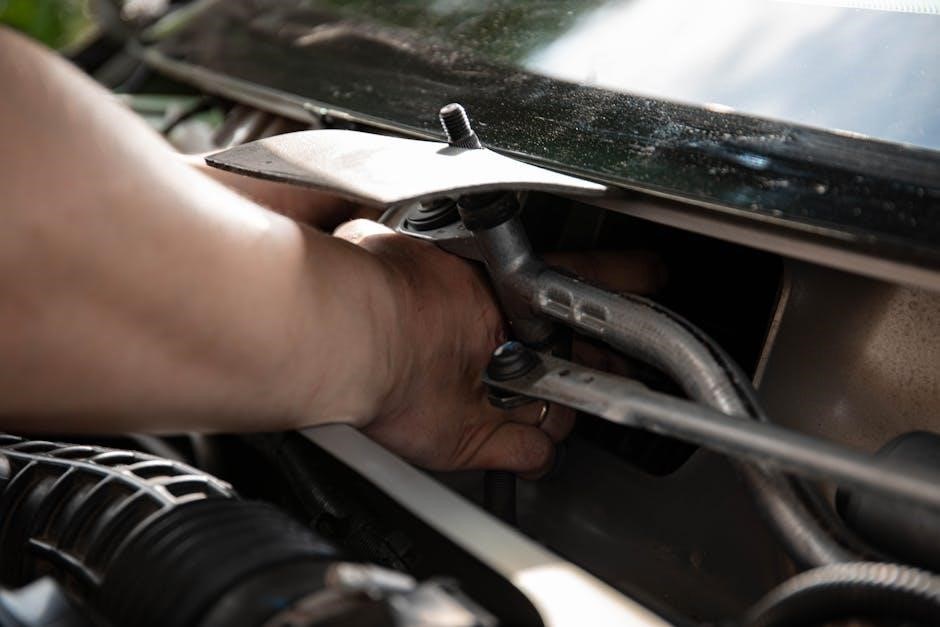
Important Safety Instructions: Before commencing installation‚ always disconnect power to the HVAC system at the breaker panel to prevent electrical shock. Exercise caution when working with water and electrical components. Ensure the humidifier control is switched to the OFF position or its lowest setting prior to any servicing or maintenance.
Improper installation can lead to water damage‚ electrical hazards‚ or inefficient operation. Adhere strictly to local plumbing and electrical codes. If you are unfamiliar with these codes‚ consult a qualified professional. Never attempt to modify the unit or use non-approved replacement parts.
This humidifier is designed for indoor use only. Keep the area around the unit clear of flammable materials. Regularly inspect water connections for leaks. Failure to follow these precautions could result in property damage‚ personal injury‚ or void the warranty.
Understanding the Aprilaire 500 Series
The Aprilaire 500 Series represents a significant advancement in whole-house evaporative humidification. These units are designed to integrate seamlessly with your existing forced-air heating and cooling system‚ providing consistent and comfortable humidity levels throughout your home. The series utilizes an evaporative pad to naturally humidify the air‚ avoiding the “white dust” often associated with other humidification methods.
The 500 series operates in conjunction with the HVAC blower‚ distributing moisture evenly. When the AprilAire humidifier control signals a need for humidity‚ and the blower is running‚ water flows over the evaporative pad. This process increases indoor humidity‚ combating dry air during colder months.
Understanding the core principles of operation is crucial for successful installation and long-term performance. The 500 series prioritizes efficient and reliable humidity control.
Model Variations: 500 vs. 500M
The Aprilaire 500 and 500M models share a foundational design‚ both offering effective whole-house humidification. However‚ a key distinction lies in their water heating capabilities. The standard Aprilaire 500 relies on the temperature of the incoming water supply for evaporation. In contrast‚ the 500M model is specifically designed to be plumbed to a hot water source.
Connecting the 500M to hot water significantly enhances its performance‚ allowing it to surpass the rated humidity output of the standard 500. This is particularly beneficial in colder climates or larger homes where maintaining optimal humidity levels is more challenging.
Choosing between the two models depends on your specific needs and existing plumbing infrastructure. Consider water heater accessibility and desired humidity output when making your decision.
Key Features of the Aprilaire 500
The Aprilaire Model 500 Evaporative Humidifier boasts several key features designed for efficient and reliable operation. It’s engineered to work seamlessly with your existing heating‚ ventilating‚ and air conditioning (HVAC) system‚ utilizing the blower motor to distribute humidity throughout your home.
A central feature is its evaporative design‚ which naturally humidifies the air without creating condensation or mineral dust. The unit operates based on calls from the Aprilaire Humidifier Control‚ automatically adjusting humidity levels as needed.
Furthermore‚ the 500 is compatible with both standard and hot water connections (with the 500M variant optimized for hot water)‚ offering flexibility during installation. Its durable construction ensures long-lasting performance and minimal maintenance requirements.
Components Included in the Package
Upon opening your Aprilaire 500 series humidifier package‚ ensure all components are present. The core of the system‚ the humidifier unit itself‚ is included‚ alongside the essential water panel‚ responsible for efficient evaporation. You’ll also find a solenoid valve‚ controlling water flow into the unit‚ and various connecting fittings for plumbing integration.
Mounting hardware is provided for secure installation to ductwork‚ alongside the installation template (B2205116) to aid precise placement. A detailed owner’s manual‚ containing operating instructions and troubleshooting tips‚ is also included.
Depending on the specific model (500 or 500M)‚ additional components may be present. Carefully review the package contents against the parts list in the manual to confirm everything is accounted for before commencing installation;

Tools Required for Installation
Successful installation of your Aprilaire 500 humidifier requires a specific set of tools. A standard screwdriver set – both Phillips and flathead – is essential for securing mounting hardware and electrical connections. You’ll also need adjustable pliers for tightening plumbing fittings and a pipe wrench for larger water supply connections.
A drill with various drill bits is crucial for creating pilot holes for mounting and potentially for accessing water supply lines. A level ensures the humidifier is installed correctly‚ preventing operational issues. Wire strippers and a voltage tester are vital for safe and accurate electrical wiring.
Finally‚ a hacksaw or pipe cutter may be needed for modifying water supply lines. Don’t forget safety glasses and gloves to protect yourself during the installation process!
Pre-Installation Checklist
Before beginning the Aprilaire 500 installation‚ a thorough checklist is vital for a smooth process. First‚ verify you have all necessary components from the package and confirm no parts are damaged. Second‚ ensure the chosen installation location meets the ductwork and water supply requirements. Third‚ turn off power to your HVAC system at the breaker to prevent electrical shock.
Fourth‚ review local plumbing codes regarding humidifier water line connections. Fifth‚ gather all required tools – screwdriver‚ drill‚ pliers‚ etc. – and have them readily accessible. Sixth‚ familiarize yourself with the installation template (B2205116) for proper duct and water line alignment.
Finally‚ read the entire installation manual to understand each step before commencing work. Completing this checklist will minimize delays and ensure a safe‚ effective installation.

Locating the Ideal Installation Spot
Selecting the right location for your Aprilaire 500 is crucial for optimal performance. The humidifier should be installed within the return air ductwork‚ ideally before the heating equipment. This ensures humidity is added to the air before it’s heated‚ maximizing effectiveness.
Choose a location with sufficient space for the unit and allow easy access for future maintenance and filter replacements. Ensure the ductwork is straight for at least 2-3 feet before and after the humidifier to promote proper airflow. Avoid installing near sharp bends or obstructions.
Consider proximity to a water supply line for convenient connection. The location must also be protected from freezing temperatures. Refer to the installation template (B2205116) for specific ductwork dimensions and placement guidelines. Proper placement significantly impacts humidity distribution and system efficiency.
Ductwork Considerations & Flow
Proper ductwork configuration is vital for the Aprilaire 500’s efficient operation. The installation template (B2205116) provides essential guidance for duct dimensions and placement. Maintain straight duct runs of at least 2-3 feet before and after the humidifier to ensure consistent airflow and prevent static pressure issues.
Avoid sharp bends or obstructions immediately surrounding the unit‚ as these can restrict airflow and reduce humidification capacity. Ductwork should be sealed tightly to prevent air leaks and maximize efficiency. Consider duct size; undersized ducts can limit airflow‚ while oversized ducts may reduce velocity.
Ensure adequate airflow across the evaporator pad for optimal moisture absorption. The system relies on the HVAC blower’s airflow to distribute humidity throughout the home. Verify the blower’s CFM (cubic feet per minute) is within the Aprilaire 500’s specified range for effective performance.
Water Supply Connection
Connecting a water supply to the Aprilaire 500 is crucial for operation. A cold-water line is generally sufficient‚ but the 500M model can be plumbed to hot water to potentially surpass rated performance. A shut-off valve should be installed upstream of the humidifier for easy maintenance and water supply interruption.
Use a saddle valve or a tee fitting to tap into the existing water line; ensure the connection is leak-proof. A 3/8-inch or 1/2-inch copper or PEX tubing is typically used for the water supply line. Consider a water hammer arrestor to mitigate potential water hammer noise.

Properly ground the water line to prevent static electricity buildup. Regularly inspect the water supply connection for leaks and ensure the water pressure is within the manufacturer’s recommended range. Follow local plumbing codes and regulations during installation.
Humidifier Mounting & Securing
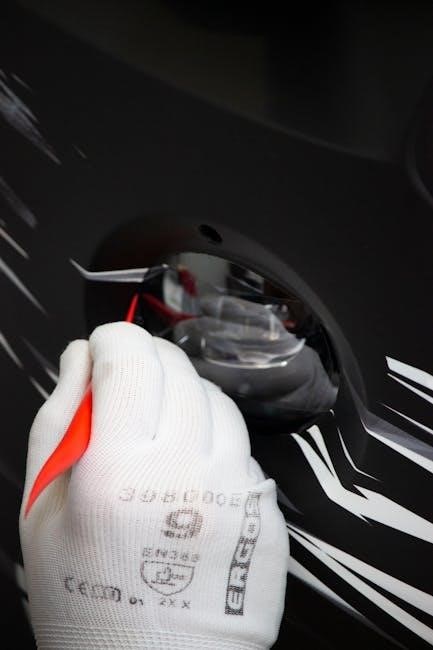
Proper mounting is essential for stable and quiet operation of the Aprilaire 500. The humidifier is typically mounted directly to the supply-side ductwork of the furnace. Ensure the mounting surface is structurally sound and capable of supporting the humidifier’s weight when full of water.
Utilize the provided mounting bracket and screws to securely attach the humidifier to the ductwork. Vibration dampeners‚ like rubber pads‚ can be placed between the humidifier and the ductwork to minimize noise transmission.
Verify the humidifier is level to ensure proper water distribution within the evaporator pad. Confirm adequate clearance around the unit for servicing and filter replacement. Securely fasten all connections to prevent movement during HVAC system operation. Refer to the installation template (B2205116) for precise mounting locations.
Electrical Wiring Instructions
Caution: Disconnect power to the HVAC system at the breaker before commencing any electrical work. The Aprilaire 500 requires a low-voltage connection to the furnace control board for operation. Typically‚ this involves connecting a wire to the humidifier control and another to the furnace’s ‘humidifier’ terminal.
Refer to your furnace’s wiring diagram to identify the correct humidifier terminal. Use appropriately sized wiring (typically 18-22 gauge) and ensure secure connections using wire connectors.
The humidifier may also require a connection for the water heating element‚ if applicable. Follow the wiring diagram provided with the humidifier for this connection. Double-check all wiring connections before restoring power. Improper wiring can damage the humidifier or the HVAC system.
Connecting to the HVAC System
Crucially‚ the Aprilaire 500 integrates with your existing HVAC system’s ductwork and blower. The humidifier mounts directly into the supply-air duct‚ ideally within 2-3 feet of the furnace. Ensure sufficient space for access and maintenance.
Proper ductwork configuration is vital for optimal performance. The unit requires unobstructed airflow. Securely fasten the humidifier to the duct using screws or clamps‚ ensuring an airtight seal to prevent air leakage.
Verify the correct airflow direction‚ matching the humidifier’s inlet and outlet to the duct’s airflow. After physical connection‚ confirm the electrical wiring is complete and correct. Finally‚ restore power and test the system to verify proper operation and humidity output.
Aprilaire Humidifier Control Settings
Aprilaire controls manage humidity levels‚ offering both automatic and manual modes. The control panel allows setting a desired humidity percentage‚ typically between 30-60%‚ depending on climate and preference. Initial setup involves selecting the appropriate humidity level for your home.

Automatic mode utilizes a humidity sensor to maintain the setpoint‚ activating the humidifier when needed. Manual mode provides continuous operation‚ bypassing the sensor. This is useful for testing or specific situations requiring constant humidification.
Familiarize yourself with the control’s display and buttons. Adjustments are made via intuitive controls. Regularly check the control settings to ensure optimal performance and energy efficiency. Refer to the control’s specific manual for detailed instructions and advanced features.
Automatic Mode Operation
Automatic mode is the recommended setting for consistent humidity control with the Aprilaire 500. The humidifier operates based on readings from the humidity sensor‚ activating only when the indoor humidity falls below the user-defined setpoint. This ensures efficient operation and prevents over-humidification.
When the HVAC blower runs and the humidity is low‚ water flows to the evaporator pad‚ increasing moisture levels. Once the desired humidity is reached‚ the water flow stops automatically. This cycle repeats as needed‚ maintaining a comfortable indoor environment.
Proper sensor placement is crucial for accurate readings. Avoid locating the sensor near drafts or heat sources. Regularly verify the humidity level with a separate hygrometer to confirm accurate operation. Automatic mode simplifies humidity management‚ providing a “set it and forget it” experience.
Manual Mode Operation
Manual mode allows for direct control over the Aprilaire 500 humidifier‚ bypassing the automatic humidity sensing. This is useful for situations requiring consistent‚ uninterrupted humidification‚ regardless of current humidity levels. However‚ it demands careful monitoring to prevent over-saturation.
In manual mode‚ the humidifier operates whenever the HVAC blower is active‚ continuously supplying water to the evaporator pad. Users must actively monitor indoor humidity using a separate hygrometer and adjust the HVAC system’s operation to manage moisture levels effectively.
This mode is not generally recommended for everyday use‚ as it lacks the efficiency and convenience of automatic control. It’s best suited for short-term needs or troubleshooting purposes. Remember to return the control to automatic mode once the desired conditions are achieved to ensure optimal performance and prevent potential issues.
Water Heating Options & Performance
The Aprilaire 500 series offers flexibility in water supply‚ including options for both cold and hot water connections. Utilizing hot water significantly enhances the humidifier’s performance‚ allowing it to surpass its standard rated capacity. This is due to the increased evaporation rate achieved with warmer water.
Connecting to a hot water line pre-heats the water‚ reducing the energy required for evaporation and boosting humidity output. However‚ careful temperature regulation is crucial; excessively hot water can damage the unit. The manufacturer recommends a maximum water temperature of 140°F (60°C).
While hot water improves performance‚ cold water connections are also viable‚ albeit with reduced output. Proper installation and adherence to safety guidelines are paramount‚ regardless of the chosen water source. Always consult the full installation manual for detailed instructions and specifications.
Troubleshooting Common Issues
Several issues may arise during Aprilaire 500 operation. Insufficient humidity often stems from a blocked water supply line‚ a malfunctioning solenoid valve‚ or improper control settings. Verify water flow and valve operation first. Excessive humidity indicates a control malfunction or a stuck humidistat; check settings and replace if necessary.
Water leakage can result from loose connections‚ a cracked water panel‚ or an overflowing drain pan. Inspect all connections and the panel for damage. No water flow requires checking the water supply valve‚ filter for obstructions‚ and the solenoid valve’s functionality.
Always disconnect power before troubleshooting electrical components. Refer to the complete installation manual for detailed diagrams and safety precautions. If issues persist‚ contact a qualified HVAC technician for assistance.
Maintenance & Filter Replacement

Regular maintenance ensures optimal performance of your Aprilaire 500 humidifier. Annual cleaning is crucial; drain and flush the unit to remove mineral buildup‚ preventing scaling and maintaining efficiency. Inspect the water panel for scaling and replace if necessary. The evaporator pad requires replacement every 1-2 years‚ depending on water quality and usage – a clogged pad reduces humidity output.
Filter replacement is vital for clean air. Change the air filter in your HVAC system regularly‚ as a dirty filter restricts airflow to the humidifier. Check the solenoid valve for debris and ensure proper operation. Always disconnect power before performing any maintenance.
Refer to the installation manual for detailed instructions and recommended replacement schedules. Consistent maintenance extends the humidifier’s lifespan and maintains healthy indoor air quality.
Aprilaire 500 Installation Template (B2205116)
The Aprilaire 500 Series Humidifier Installation Template (B2205116) is a critical resource for a successful installation. This template guides precise ductwork connections‚ ensuring optimal airflow for efficient humidification. It details proper placement relative to the furnace and duct runs‚ maximizing performance and minimizing airflow restriction.
The template also illustrates correct water supply line routing‚ specifying clearances and recommended tubing materials. Accurate duct (flow) measurements are essential‚ and the template provides guidelines for determining appropriate duct sizes. Utilizing this template minimizes installation errors and ensures the humidifier operates within specified parameters.
Download the PDF template for detailed diagrams and dimensions. Proper adherence to the template’s instructions is key to a reliable and long-lasting installation.

Resources & Further Support
For comprehensive assistance beyond this manual‚ Aprilaire offers a wealth of support resources. Visit the official Aprilaire website for frequently asked questions‚ detailed product specifications‚ and downloadable documentation‚ including the Model 400‚ 550‚ 600 & 700 owner’s manuals. These resources cover operation‚ maintenance‚ and troubleshooting.
Customers can access installation instructions for the 500 series on platforms like ManualsLib‚ providing convenient online access to the PDF manual. Additionally‚ explore online forums and communities dedicated to HVAC systems where experienced users share tips and solutions.
For direct assistance‚ contact Aprilaire’s customer support team via phone or email. Remember to have your model number readily available for efficient support. Utilizing these resources ensures a smooth installation and optimal performance of your Aprilaire 500 humidifier.